Email Automation in 2026: Best Tools, Strategies & How to Scale Your Business
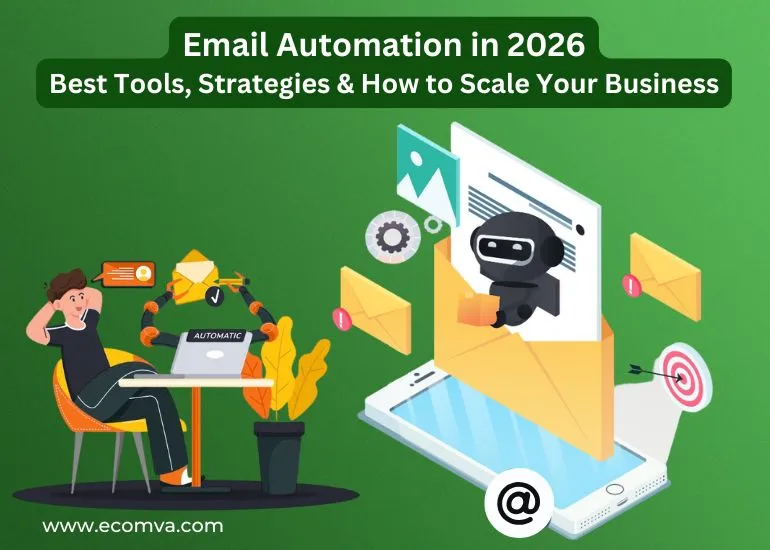
Email automation continues to play a major role in business communication. In 2026, companies handle larger contact databases, more complex buyer journeys, and higher expectations for personalized messages. This places pressure on teams to maintain structured workflows, accurate data handling, and consistent engagement across multiple customer segments.
Many businesses rely on an Email Automation Service to manage welcome sequences, lead follow-ups, and lifecycle messaging without manual intervention. When automation is set up correctly, it processes each action through defined rules. It also allows a company to communicate at scale with steady timing and clean data flow.
How Email Automation Works in Modern Businesses
Email automation functions through rules, data triggers, and scheduled actions. Each message is sent based on conditions that fit customer behavior or business requirements. The system checks actions through the CRM or the website, and each action triggers a specific message. This creates a predictable pattern that supports lead nurturing, customer retention, and sales processes.
Key components in an automated system include:
- Event triggers
- Segmentation logic
- Sending schedules
- Message routing rules
- Recipient prioritization
- Reporting and performance data
These elements work together to handle repetitive communication tasks so teams can focus on planning and decision-making.
Automation removes the need to manually send each message. Instead, an established email automation service ensures that messages follow the timing, sequence, and audience selection that the business sets.
Key Advantages of Using an Email Automation Service
Companies adopt automation to maintain steady communication without gaps. A structured system prevents missed follow-ups, delays in lead outreach, and inconsistent customer updates. When the process is managed through a trained team or a reliable platform, messages follow the correct timing and use verified data.
A well-organized setup provides:
- Reporting dashboards with real-time metrics
- Segmentation controls for targeted messaging
- Detection of errors in workflows or data inputs
- Clean routing based on customer activity
Businesses rely on email automation tools to manage daily messaging tasks and track performance outcomes. The process becomes simpler when the platform syncs directly with CRM systems and website forms.
Many companies also depend on email automation software to keep communication uniform during each stage of the customer lifecycle. These systems handle:
- Contact updates
- Workflow movement
- Analytics for decision-making
Best Email Automation Tools for 2026
The automation landscape continues to grow as businesses expect more from their communication systems. In 2026, leading solutions focus on accurate data handling, precise segmentation, and workflow control. They also provide strong integration support so businesses can connect their CRM, store platforms, and advertising data without trouble.
When evaluating tools, companies often look at:
- Contact organization
- Real-time syncing with CRM
- Workflow building capabilities
- Reporting dashboards
- Template design flexibility
- Data handling reliability
Some tools stand out for stronger workflow routing, while others support advanced segmentation. Businesses prefer solutions that combine clean UI, strong analytics, and adaptable workflow features. These solutions help many teams achieve the best email marketing automation results for their internal processes.
Some users also rely on Klaviyo Email Marketing when they need detailed segmentation and lifecycle messaging features built for ecommerce environments.
Strategies That Help Businesses Scale With Email Automation
A structured strategy is essential for long-term success. Automation works well when a business has a clear plan, organized contact lists, and well-defined customer journeys.
Here are important methods used in 2026:
1. Use Segmentation to Control Messaging Precision
Segmentation helps categorize contacts based on behavior, purchase history, interests, or engagement patterns. It ensures that every recipient receives information that matches their stage in the customer journey. A steady email automation service applies segmentation settings to improve message relevance and reduce unnecessary communication.
2. Build Automated Email Workflows That Match Customer Behavior
Workflow creation is one of the strongest parts of automation. A business builds steps that follow a predictable route. These steps are called automated email workflows, and they guide the entire communication process.
A workflow usually contains:
- Welcome sequences
- Product interest sequences
- Lead follow-up routines
- Abandoned cart reminders
- Purchase confirmation steps
- Re-engagement messages
- Feedback requests
Each stage moves the recipient into the next relevant message based on their activity. A well-structured sequence helps maintain smooth communication without manual triggers.
3. Strengthen Lead Management With Automation
Lead management becomes smoother when triggers are connected to behavior. For companies that handle longer sales cycles, B2B email automation supports qualification, follow-up timing, and message routing based on data patterns. Automation helps maintain contact without overwhelming leads while keeping the sales team aware of important actions.
4. Scale Customer Lifecycle Messaging With Data-Driven Routines
Lifecycle messaging focuses on each phase of customer engagement. Automation helps apply these messages at the right moment. Businesses use their email automation service to plan messages for new subscribers, warm leads, frequent buyers, and inactive users.
A lifecycle system provides:
- Consistent onboarding steps
- Structured product updates
- Renewal reminders
- Loyalty-driven communication
Each segment receives messages that match the customer’s activity and needs.
Example: Email Automation Applied to a Growing Business
Consider a mid-sized organization that wants to organize customer communication more effectively. They start with a clean list and import their data into the automation platform. They map out each stage of the customer journey and connect actions to specific messages.
A sequence might run like this:
- A new lead signs up on the website.
- The CRM updates the lead details.
- The email automation software sends a welcome message.
- The system tracks link activity.
- If the lead engages, a product-focused sequence begins.
- If the lead remains inactive, a reminder is sent after a set number of days.
- Sales receives a task if the lead completes a specific action.
During this process, the team works with an email automation expert to maintain clean sequences, update message logic, and monitor results. The business gains a consistent flow of communication that requires minimal manual intervention.
What You Need Before Setting Up Email Automation
Businesses prepare several items before launching their workflow system. This helps prevent errors and ensures a smooth setup.
Checklist items:
- A verified contact list
- Updated CRM fields
- Defined customer segments
- Message guidelines
- Workflow diagrams
- Activity tracking rules
- Internal communication structure
- Clear follow-up timing
Companies that manage long buying cycles, especially in corporate environments, often rely on B2B email automation to handle lead movements and reporting accuracy. A structured environment helps automation function with fewer interruptions.
A reliable email automation service also needs well-organized data so the system can trigger messages correctly.
Common Issues Companies Face & How Automation Solves Them
Even with strong planning, businesses encounter issues when handling communication manually. Common challenges include inconsistent follow-ups, unclear message timing, and missed opportunities due to unorganized contact lists.
An email automation expert helps prevent these problems through structured workflows, validated triggers, and steady monitoring routines. Automation gives companies a strong foundation for regular communication without depending on manual execution.
How EcomVA Supports Daily Email Automation Operations
Many companies want their automation systems to stay organized throughout the day. EcomVA provides support that keeps workflows active, messages routed correctly, and customer data aligned with CRM fields. A reliable email automation service requires steady supervision, and the team maintains each process with defined routines.
To make the work easier to understand, here is a clear view of the support areas:
| Operational Need | What EcomVA Handles |
|---|---|
| Workflow Upkeep | Reviewing triggers, updating message paths, checking routing logic |
| Segmentation Structure | Organizing contact groups, refining audience rules, correcting mismatches |
| CRM Alignment | Mapping fields, syncing customer activity, validating lifecycle data |
| Message Management | Preparing templates, adjusting content variations, managing sending schedules |
| Performance Stability | Monitoring workflow results, identifying issues, preparing improvement steps |
This coverage keeps automation systems stable and allows businesses to run communication processes without interruptions.
Some companies handle extended customer journeys that move through many workflow stages. EcomVA supports these setups by managing CRM-linked sequences, lifecycle messages, and activity-driven updates. The team also prepares new workflows when a business introduces fresh campaigns or seasonal communication plans.
With this support, internal teams no longer need to review every trigger or message route. They gain more time for planning, evaluating results, and refining customer engagement strategies while their automation environment stays well-maintained.
End Note!
Automation continues to shape how businesses communicate in 2026. A structured system keeps workflows organized and maintains steady engagement across all customer stages. A reliable email automation service manages triggers, segmentation, and lifecycle paths with consistent accuracy. When companies refine their setups, they gain smoother communication, fewer manual tasks, and a stronger base for long-term growth.
As automation becomes a core part of daily operations, the question for every business is simple: how prepared is your current system to support the next stage of your customer communication strategy?
FAQs
1. What should a business prepare before starting email automation?
A business should prepare a clean contact list, defined customer segments, workflow guidelines, CRM fields, and message rules. These elements help the system run messages with accurate data and clear logic.
2. How does email automation help manage large customer databases?
Automation organizes contacts into segments, applies triggers for each activity, and schedules messages through structured workflows. This keeps communication consistent even when the database grows.
3. Can automation replace manual follow-ups completely?
Automation can handle most follow-up messages through predefined sequences. Manual contact is still useful when a lead shows high intent, needs clarification, or requires support beyond automated responses.
4. What role does CRM play in email automation?
The CRM provides customer activity, purchase details, and engagement data that trigger each automated step. It helps the system select the correct message path for every contact.
5. How often should workflows be reviewed or updated?
Workflows should be reviewed regularly to check trigger accuracy, segment changes, and message performance. Updates are also needed when business goals shift or new customer segments are introduced.