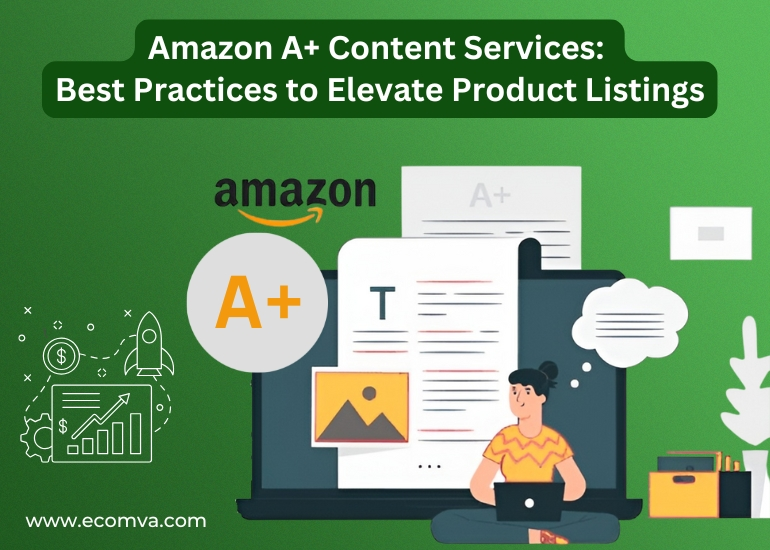
Amazon A+ Content Services: Best Practices to Elevate Product Listings
Amazon listings are no longer just about keywords and bullet points. Customers scroll, scan, and decide quickly. Visual presentation, structured information, and clear brand messaging are now expected.
That’s where Amazon A+ Content Services come in. They help sellers upgrade their standard product pages with branded modules, custom layouts, and enhanced descriptions designed to improve conversions and engagement. Amazon offers this feature to brand-registered sellers looking to give shoppers more confidence through better content.
In this blog, you’ll learn what A+ Content is, what makes it effective, how to build it the right way, and how to make sure everything’s ready before you publish it.
What Is Amazon A+ Content and Why It Matters
A+ Content is a feature inside Amazon’s Seller Central platform. It allows brand owners to replace the default product description with a custom, media-rich layout. This can include lifestyle images, comparison charts, product features, and branded banners.
There are two versions available to eligible sellers:
- Basic A+ Content: Offers standard image and text modules
- Premium A+ Content Amazon: Unlocks advanced modules like interactive hotspots, video loops, and more design flexibility (available through invitation only)
To access these features, sellers must be enrolled in the Amazon Brand Registry. Once approved, you can create and submit A+ Content through the A+ Content Manager in Seller Central. Amazon reviews the submission before it goes live.
Why It Matters
A+ Content helps with:
- Better storytelling across your product range
- Displaying product details in a structured, visual format
- Reducing return rates by setting clear expectations
- Building a stronger brand identity on Amazon’s marketplace
- Increasing time spent on product pages
Most shoppers scroll through listings on mobile devices. A+ modules guide them visually, making it easier to highlight what matters most.
Using Amazon A+ content creation effectively ensures your brand voice comes through with clarity. When done properly, it also improves the buyer’s experience by reducing friction and answering common questions without clutter.
Amazon brand content services can help you develop a consistent visual structure across all SKUs, which is important for brand credibility and recognition, especially if you sell a range of products under one label.
Elements of High-Converting A+ Content
A+ Content works best when it’s structured clearly and built around what shoppers look for. Instead of guessing what to include, focus on content that supports buying decisions and clears up doubts.
Here are the elements that strong A+ pages typically include:
Feature Highlights with Visual Support
Use high-resolution product images with minimal text overlays. These images should show the product in use, focus on key functions, and match the product type (e.g., lifestyle images for apparel, close-ups for electronics).
Text should support the visuals, not explain what’s already clear. Keep it short, clear, and easy to read on mobile.
Comparison Charts
Amazon provides a comparison chart module. You can use this to compare similar SKUs from your own catalog. This helps customers understand product variations like size, material, usage, or price differences.
Make sure the table format is easy to scan. Don’t overfill it with too many options.
“About the Brand” Section
This section can be used to build brand trust. A single banner image with a short 1–2 sentence description is enough. This space should not repeat the product features but should focus on brand values or product quality promise.
Keep this part consistent across all your listings to maintain visual branding.
Text Blocks with Icons
Icons can help highlight specific benefits like “BPA-Free,” “Water Resistant,” or “5-Year Warranty.” Make sure the icon style matches your brand’s design. Use consistent spacing, alignments, and font formatting.
Mobile Optimization
Amazon A+ layouts automatically stack vertically on mobile. Check all content on mobile view before publishing. If images have text embedded, test if they’re readable on a small screen. Avoid using very small font sizes or wide horizontal designs that don’t scale well.
Amazon A+ content creation is more than filling modules. It’s about making sure each element serves a purpose, whether that’s explaining a benefit, reinforcing a product’s value, or removing confusion that might block a sale.
Professionals offering Amazon A+ content services know which layouts are most effective based on product category, customer type, and listing style.
Amazon A+ Content Best Practices
Amazon has a strict review process for A+ Content. The platform expects sellers to follow both its creative guidelines and technical requirements. Submissions that miss either can be delayed or rejected.
To get it right the first time, follow these specific practices while planning and building your A+ modules:
Use Amazon’s Pre-Approved Modules Correctly
Amazon provides 17+ content modules inside the A+ Content Manager, including image-only, text-only, and hybrid layouts. These are designed to standardize content while giving sellers flexibility to present information clearly.
- You can use up to 5 standard modules per listing.
- Modules must be filled properly; empty blocks may trigger rejection.
- Each module serves a different purpose (e.g., comparisons, highlights, visual storytelling).
Recommended modules to start with:
- Standard image and text overlay
- Four-image feature highlights
- Single image with a short paragraph
- Comparison chart (great for variant listings or cross-selling)
Avoid:
- Overlapping or low-resolution images
- Irregular spacing or unbalanced layout
- Using more modules than necessary just to “fill space”
Tip: Start by sketching your layout on paper or a tool like Figma. Planning visually first helps avoid backtracking in the A+ editor.
Upload Optimized Images Only
Images are the most visible part of A+ Content, and often the reason content gets rejected.
Follow these requirements:
- Format: JPEG or PNG
- Minimum size: 970px width (Amazon rejects smaller files)
- Max file size: 2MB
- Resolution: 72 dpi or higher
- No text-heavy designs, keep overlays minimal
Tip: Use plain backgrounds and zoomed-in angles to show important product features. Avoid clutter, stock imagery, or mockups with heavy gradients.
Avoid putting any of this inside your images:
- Pricing
- Discount codes
- Guarantees
- External URLs
- Any text in CAPS LOCK
- Offensive or insensitive symbols
Tip: If you’re uploading several SKUs with similar layouts, keep a design template. This maintains visual consistency across the entire catalog.
Keep Text Clear, Short, and Rule-Compliant
Amazon limits each A+ text block to 1,000 characters, but readability matters more than word count.
Use short, factual sentences. Break large blocks into clear lines. Every sentence should support a buying decision.
Examples of what to write:
- “Made with medical-grade stainless steel for long-term use.”
- “Fits all major sink types, including undermount and top-mount.”
- “Batteries included with purchase. Setup takes under 5 minutes.”
Avoid writing:
- “Best on Amazon”
- “Top rated product”
- “100% satisfaction guaranteed”
- “Click here” or promotional CTA wording
Tip: Use bullet points inside images for design impact, but make sure the same information is repeated in readable text elsewhere. Amazon does not index text inside images for SEO.
Maintain Consistent Formatting Across All Listings
Sellers with large catalogs often have listings that look completely different. This creates brand confusion.
Keep the following consistent:
- Tone of voice
- Icon style and colors
- Image framing
- Typography style
- Module order and layout structure
If you’re uploading 5–10 ASINs from the same brand, use the same “About the Brand” section and styling rules for each.
Amazon brand content services usually create design libraries for this purpose; even small sellers should aim for the same consistency level.
Tip: Create a brand guideline doc with your logo placements, tone, and design rules. This helps new team members or freelancers keep things on track.
Understand Where and How Shoppers Interact with A+ Content
A+ modules appear below the fold on desktop and mobile. That means they’re viewed after the shopper has read the title, bullet points, price, and looked at product images.
The purpose of A+ Content is to reinforce.
Here’s how people interact with A+ modules:
- They scroll quickly and scan visual blocks
- They look for key info not answered above the fold (sizing, usage, variations)
- They check charts or icons for clarity
- They look for trust-building sections like “About the Brand”
Avoid:
- Repeating the title or bullet points
- Writing copy that talks to the shopper
- Filling with promotional fluff or adjectives
Do:
- Address the most common pre-purchase doubts
- Explain usage, benefits, or compatibility visually
- Show unique selling points with a real-world image
- Add feature-to-function mapping: what it is, what it does, why it matters
Many sellers work with an Amazon FBA Expert when planning A+ content. This helps make sure product features, fulfilment details, and visual messaging stay consistent with what customers receive after ordering.
When you apply these practices carefully, your Amazon A+ content services work becomes structured and ready for approval. Sellers often see improvements in page engagement, dwell time, and sometimes reduced return rates, especially when the content clears up confusion before the purchase.
Even premium A+ content Amazon follows these same foundations, it just includes interactive or animated layouts on top of the basics.
Final Steps Before Publishing Your A+ Content
Once your A+ layout is ready, there are a few checks you need to do before hitting “submit.” Amazon has strict review policies, and missing small details can lead to delays or disapproval.
Final Approval Checklist
| Step | Description |
|---|---|
| Image Quality | Minimum 970px, correct format, readable on mobile |
| No Prohibited Claims | No health claims, pricing, discounts, or guarantees |
| Text Clarity | Short sentences, no keyword stuffing, no copy/paste from title |
| Layout Review | Check flow, alignment, module choices |
| Mobile View Test | Load layout on mobile to check stacking and readability |
| Brand Voice Consistency | Match fonts, colors, tone across all listings |
| Submit for Review | Expect review time of 7 business days (can vary) |
What to Expect After Submission
Amazon typically approves A+ Content within 5–7 business days, but delays can happen. You will get an email once it’s live. If rejected, Amazon will include notes on what needs fixing, usually related to claims, image quality, or formatting.

Keep a Maintenance Schedule
Once live, monitor performance using your Seller Central dashboard or A/B testing tools. Update content during seasonal events or when your product features change. You can also update the “About the Brand” section across all ASINs from one place.
Professionals handling Amazon A+ content services usually offer content maintenance packages, which are useful if you have a large catalog or rotate promotions often.
FAQs
1. Can I use Amazon A+ content services for seasonal or limited-edition products?
Yes, A+ Content can be used for any ASIN under your brand registry, including seasonal or one-time products. Just make sure the images, colors, and messaging match the current theme or campaign you’re running.
2. What happens if I update a product after A+ content is published?
Product detail changes (like title or bullets) won’t affect your A+ layout. But if your update impacts the messaging or images in the A+ section, it’s best to review and adjust your content for accuracy.
3. Do Amazon A+ content services improve search rankings?
A+ Content doesn’t directly impact organic search rank, but it helps reduce bounce rates and improve page engagement. These signals can support performance over time when combined with optimized listings.
4. How can I test if my A+ content is performing well?
Use Amazon’s A/B testing tool (Manage Your Experiments) to compare versions of your A+ layout. Sellers working with the best Amazon A+ content services often track click-throughs, scroll depth, and conversion changes across variations.
5. Can I include certifications or compliance badges in my A+ modules?
Yes, but only if they’re verifiable and not exaggerated. Visuals like “FDA Registered” or “CE Certified” must be supported by real documentation, and Amazon A+ content creation must follow the image policy to avoid rejections.