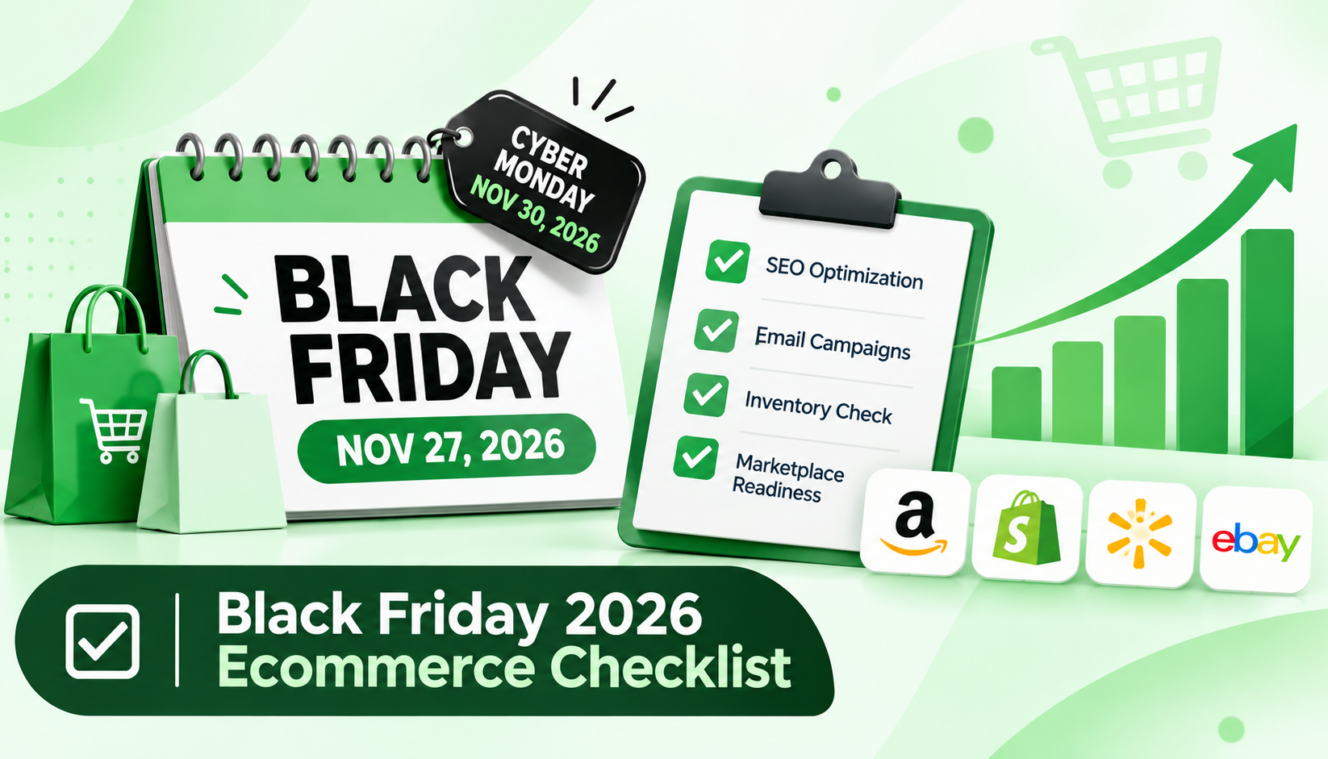
Black Friday is November 27. Cyber Monday is November 30. Today’s November 2, which means you’ve got 25 days.
That’s tighter than most checklists admit. Adobe forecasts a record $275.1 billion in US online holiday spending between November 1 and December 31, up 6.7% from last year. The demand is coming whether your store is ready or not.
This Black Friday ecommerce checklist covers SEO, email campaigns, inventory, and marketplace readiness. It also walks through the platform checks that decide whether the best ecommerce platform setup for your store actually holds up when traffic spikes.
QUICK ANSWER
Preparing your ecommerce store for Black Friday 2026 (November 27) requires a focused plan across SEO, email marketing, inventory, and marketplace operations. Optimize your website speed and mobile checkout, fix product feeds, schedule segmented email and SMS campaigns, sync inventory across sales channels, and update your top marketplace listings. Prioritize checkout testing, stock accuracy, and email automation before the November 16 store freeze. With the right preparation and operational support, you can reduce last-minute issues, capture more sales, and make the most of Black Friday and Cyber Monday.
Quick reality check before we start. In 25 days you can fix your product feed, publish a proper landing page, test checkout, build your email sequence, sync stock counts, and polish your top listings. You can’t build a content hub that ranks, earn a pile of new links, or restock from a supplier who needs six weeks. Those jobs wait until January. I’ll flag what’s too late as we go, so you don’t burn a weekend on it.
Grab a coffee. Let’s get into it.
Black Friday 2026 at a Glance: Dates, Forecast, and What Has Changed
Black Friday falls on November 27, 2026, and Cyber Monday lands on November 30. Adobe forecasts about $275.1 billion in US online sales for November and December, with Cyber Week (Thanksgiving through Cyber Monday) bringing in around $47.5 billion.
Here’s how the big days look in Adobe’s September 28, 2026 forecast:
- Black Friday: about $12.9 billion online, up 9.2%
- Cyber Monday: about $15.1 billion, up 6.2%, and the first $15 billion online day
- Thanksgiving Day: about $6.9 billion, up 8.5%
For a yardstick, Adobe’s 2025 actuals were $11.8 billion on Black Friday and $14.25 billion on Cyber Monday. If you know what your store did last year, growth of roughly 6 to 9 percent is a sensible planning range. A range, not a promise.
A few things have shifted, and they matter for how you spend your next 25 days.
Black Friday is growing faster than Cyber Monday. Adobe ties that partly to the biggest discounts of the season landing on Black Friday in categories like TVs, apparel, and appliances. If you sell in those, don’t treat Friday as the warm-up act.
Thanksgiving counts now too. Plenty of people shop on their phones between the turkey and the pie, so your mobile experience has to be good on Thursday, not just Friday.
Then there’s buy now, pay later. Adobe expects BNPL to drive $807 million in online spend on Black Friday and $1.09 billion on Cyber Monday, with about 82% of that coming through mobile.
And AI shopping tools are showing up in your traffic. Adobe projects traffic from AI assistants to US retail sites will grow 130% this season, and 95% on Black Friday itself. It’s still a small slice of total visits. But it’s growing fast enough that clean product data is now part of your holiday prep.
The best ecommerce platform for Black Friday is one that stays fast through checkout at peak and that your team has actually tested. In November, how well your store is configured matters more than which platform you picked back in spring.
Think of it as a readiness check, not a ranking. Different platform types fail in different ways, and the table below shows who owns the risk.
| Platform Type |
Who Handles Peak Traffic Scaling |
Biggest Black Friday Risk |
Action Before Peak |
| Hosted platforms (for example Shopify, BigCommerce) |
The vendor scales core infrastructure |
Slow themes, heavy apps and scripts, checkout customizations, discount logic errors |
App and script audit, speed test, checkout test, store freeze |
| Platforms you host yourself (for example WooCommerce, Adobe Commerce) |
You or your host: servers, caching, CDN |
Downtime or slowdowns under load, plugin conflicts |
Load test, confirm hosting capacity with your provider, caching and CDN review |
| Marketplaces (Amazon, Walmart) |
The marketplace provides traffic and the storefront |
Missed inbound and fulfillment deadlines, stockouts, ad cost spikes, listing or account issues |
Check current inbound cutoffs, listing content, ad budgets, account health |
Notice the pattern. On a hosted platform, the vendor keeps the lights on, but your theme and apps can still drag the store down. If you host it yourself, the whole stack is on you and your hosting company. And on marketplaces, the traffic’s handed to you, but the rules aren’t yours to bend.
What the Best Ecommerce Platform Still Can’t Fix for You
Nothing in that table protects you from a bad discount rule or a checkout app that hasn’t been updated since 2023. Platforms scale servers. They don’t fix your setup. That part’s yours.
Load Testing, Speed, and the Store Freeze
Start with a speed test on your homepage, your top collection pages, and a product page. Then audit your apps and scripts. Most stores carry a few they’ve forgotten about, like an old pop up tool or a review widget nobody uses. Remove them.
If you host yourself, ask your provider what traffic your plan can handle and run a load test. Don’t guess.
Then set a store freeze. That’s a date after which nobody touches the theme, apps, or pricing logic. Aim for around November 16, which is about 11 days before Black Friday. Honestly, the freeze is the single habit that prevents the most self inflicted disasters.
Checkout, Payments, and Mobile
Buy something from your own store on your own phone. All the way through. Use Apple Pay or Google Pay if you offer it, and try the BNPL option too.
Then test your discount stacking. Does the Black Friday code work with free shipping? With a gift card? With a returning customer’s loyalty points? Weird combinations are where margins disappear.
Checkout friction is one of the biggest reasons carts get abandoned, so every extra field is a cost. We’ll cover abandonment in more depth in our guide on cart abandonment (link to be added once published).
Get Your Ecommerce Store Black Friday-Ready with EcomVA
Streamline inventory, optimize listings, manage campaigns, and handle peak-season operations with reliable ecommerce virtual assistant support.
Contact Us
Black Friday SEO Checklist
With 25 days left, the SEO work that can still pay off is technical fixes, one solid Black Friday landing page, accurate product feeds, and clear product data. It isn’t a new content campaign or a link building push. Those take months.
So treat these Black Friday SEO tips as a repair list, not a growth plan.
Fast Track SEO Tasks You Can Still Finish
1. Publish (or Refresh) One Permanent Black Friday Landing Page
Use one URL with no year in it, something like /black-friday/. Link to it from your homepage, your main navigation, and your collection pages. Keep it live all year and update it each season. That’s how it builds strength over time instead of starting from zero every November.
2. Fix Technical Basics:
Check that your key pages are indexed. Make sure canonical tags point where they should and your sitemap is clean. Crawl your site for broken links. And if you ran promotions last year, redirect those old pages instead of leaving dead ends.
3. Boring work. Worth doing:
Clean Up Your Product Feed and Merchant Center. This one gets expensive fast. When your ad spend goes up, a feed error costs you more per day. Check price, availability, GTIN, titles, and images in your Google Merchant Center feed, and make sure each product’s landing page matches what the feed says. A price mismatch can get products disapproved right when you need them live.
4. Add or Verify Product and Offer Structured Data:
Structured data tells search engines your price and availability in a language they read easily. Check that the markup on your product pages matches what’s actually on the page. If your sale price changes on Black Friday, the markup has to change with it.
5. Prepare for AI-Driven Discovery
Remember that 130% jump in AI-referred traffic? Those tools pull from clear, factual product data. So write plain product descriptions, keep availability current, and answer the questions buyers always ask right on the page. Sizing, shipping times, return rules.
If you want the longer version, our guide on why the best ecommerce SEO services use AEO and GEO goes deeper. And if your team doesn’t have hours to spare for feed cleanup and technical fixes, our ecommerce SEO services can take that off your plate.
What Not to Start Now
Be honest with yourself here. A big new blog series won’t rank by November 27. A link building program won’t either. Pages take weeks or months to get traction, and you’ve got 25 days. Park those until December. For now, put your time into fixes and conversion.
Black Friday Email and SMS Campaign Checklist
The strongest Black Friday email programs run on a segmented, warmed-up list and a planned sequence. The abandoned cart and post-purchase flows get tested before peak, not during it. If you only have time for one channel, email is usually the better bet. It’s your own audience, and you’re not paying a bidding war for every click.
A. Grow and Warm Up Your List Now
Add email and SMS sign up spots where people already look: a popup with a real reason to join, the footer, the cart page. Try an early access list for Black Friday. “Get the deals 24 hours before everyone else” works because it’s specific. And warm up your sending. If your list has been quiet for months and you suddenly blast 100,000 people on Black Friday morning, inbox providers get suspicious. Send a bit more each week from now on, starting with your most engaged people.
B. Segment Before You Send
One email to everyone is lazy and it shows. At minimum, split your list into these groups:
- VIPs and repeat buyers: early access, no deep discount needed
- Recent purchasers: a gentle nudge, since they just bought
- Browse and cart abandoners: reminders with the exact item
- Lapsed customers: your strongest offer, because they need a reason to come back
Each group gets different timing. Maybe different offers too.
C. Plan the Campaign Sequence
Draft and schedule early, before the week gets chaotic. A simple sequence looks like this: teaser, early access, launch, a weekend reminder, last chance, Cyber Monday, and then an extended offer for stragglers.
That’s seven touches over about two weeks. Not every segment gets all seven. Your VIPs might skip the last chance email entirely if they’ve already bought.
D. Test Your Flows and Deliverability
Go through each automated flow like a customer would: abandoned cart, browse abandonment, welcome, and post-purchase. Click every link. Check every discount code. Look at them on a phone. Then check your email authentication. Confirm SPF, DKIM, and DMARC are set up, and clean out contacts who haven’t opened anything in six months or more. A smaller, healthier list beats a big, ignored one. A quick note on rules. SMS and email both need proper consent, and the requirements are specific. This isn’t legal advice, so check current regulations and your sending platform’s guidance before you launch. If building and testing all this feels like a lot for one small team, a Klaviyo expert can set up the flows and QA them for you. Our Klaviyo email marketing automation service is built for exactly this kind of crunch.
Black Friday Inventory and Fulfillment Checklist
For Black Friday inventory planning, forecast demand by product, protect your best sellers with safety stock, confirm supplier lead times now, and keep stock counts synced across every channel. Overselling is the fastest way to turn a great sales day into a pile of refunds.
1. Forecast and Prioritize Products
Start with last year’s sales, product by product. Then rank them. Your A products are the ones that bring in most of your revenue, B products are the middle, and C products are the long tail. Protect the A’s. Decide which products can carry a deep discount and which ones you can’t afford to run out of. Not everything should be on sale.
2. Safety Stock and Supplier Lead Times
Call your suppliers today. Not Friday. Ask what can still arrive before November 27, and what can’t. What can’t arrive in time should be planned around, not hoped for. Remove it from the promotion, swap it for something you do have, or sell it as a preorder with honest shipping dates. Here’s a simple way to think about safety stock. Your reorder point is daily sales times lead time, plus a buffer. Say a product sells 20 a day and takes 10 days to restock. That’s 200 units, plus maybe 100 as a buffer, so you’d reorder at 300. During Black Friday, that daily number could triple, so run the math with the bigger number.
3. Keep Inventory Synced Across Channels
If you sell on your own store, Amazon, and Walmart, you need one source of truth for stock. When stock counts live in three places, you’ll oversell. It’s a matter of when, not if. Check how often your systems sync. Every few minutes beats every few hours, especially on a day when your best seller can vanish in 40 minutes. For more on this, see our guide on multichannel inventory management (link to be added).
4. Shipping Cutoffs, Carrier Capacity, and Returns
Publish clear delivery cutoff dates on your site, in your emails, and at checkout. Customers want to know, “Will it arrive before the holiday?” Tell them before they ask. Confirm your carrier’s and 3PL’s peak capacity. A 3PL is a third-party warehouse that stores and ships your products. Ask them about cutoff times and surcharges now. And set a returns policy you can honor at volume. A generous policy is great until 4,000 returns show up in January.
Marketplace Readiness Checklist (Amazon, Walmart, and Others)
Marketplace sellers lose Black Friday most often through missed inbound and fulfillment deadlines, stockouts, thin listings, and ad budgets that run dry. Most of these get settled well before the weekend.
Here’s the thing about marketplaces. The traffic is huge, but you don’t control the rules. So your job is to hit every deadline early.
1. Listing Content and Images
Refresh titles, images, and bullet points for your top sellers first. Add or update A+ or enhanced content if you have access to it. Make sure the delivery promise on the listing is accurate, because shoppers notice when it isn’t. Don’t touch every listing. Fix the ten that bring in the most money.
2. Inbound, Fulfillment, and Capacity Deadlines
Check the current inbound cutoffs, storage limits, and peak season fees for Amazon FBA and Walmart fulfillment in each marketplace’s own documentation. These change by year and by account, so don’t rely on a blog post, including this one. Start with Amazon Seller Central and the Walmart Seller Help Center. Then send your shipments early. Early is the only strategy that works here. If your inventory is stuck at a receiving dock on November 27, it might as well not exist.
3. Advertising Budgets and Bidding
Costs go up during peak, and daily caps can run out by lunchtime. Raise your budgets before the rush, not during it. Review your targeting and your negative keywords too, so you’re not paying for clicks that won’t convert.
Skip the temptation to “set it and forget it.” Check your campaigns at least twice a day over the weekend.
4. Pricing, Promotions, and Account Health
Keep your marketplace price consistent with your own store. If a shopper sees $40 on Amazon and $50 on your site, you’ve just taught them where to buy. Confirm early whether your deals or promotions are eligible, and fix any open policy or account health issues now. A suspended listing in November is a really bad week.
Running Amazon alone while also handling everything above is a lot. An Amazon virtual assistant can take on listing updates, inbound shipment prep, and daily monitoring while you focus on the rest. We’ve also covered the basics in our guide to hiring an Amazon VA (link to be added).
Your Black Friday Countdown: What to Do Each Week From Today
Here’s your week-by-week plan, dated to the actual days left. The first row has already passed, so if you haven’t done those tasks, fold them into this week.
| Window (2026) |
Days to Black Friday |
Priority Focus |
| Oct 26 to Nov 1 (already passed) |
32 to 26 |
Lock offers and margins; confirm inventory and supplier lead times; order what can still arrive; publish the Black Friday landing page; fix tracking and Merchant Center feed errors |
| Nov 2 to Nov 8 |
25 to 19 |
Build and schedule email and SMS campaigns; start teaser content and list growth; send marketplace inbound shipments and update listings; run site speed and checkout tests |
| Nov 9 to Nov 15 |
18 to 12 |
Finish creative and ad accounts; QA every flow and discount code; test mobile checkout and payment options; confirm shipping cutoffs and customer service coverage |
| Nov 16 to Nov 22 |
11 to 5 |
Store freeze (no major theme, app, or pricing changes); final load and checkout checks; warm up the email list with early access messaging; brief the support team |
| Nov 23 to Nov 26 |
4 to 1 |
Final inventory and sync check; schedule launch; monitor tracking, stock, and site health; Thanksgiving Day is also a major online shopping day |
| Nov 27 and Nov 30 |
Black Friday and Cyber Monday |
Monitor in real time (stock, errors, ad spend, deliverability); respond fast to issues; plan the Cyber Monday and extended offer next steps |
If you’re behind, and plenty of people are, start with the tasks that protect revenue: checkout, inventory, and the email flows. Landing page polish can wait a day or two.
After Black Friday: Cyber Monday, Extended Offers, and Retention
Cyber Monday is still the biggest online day of the season, with Adobe forecasting about $15.1 billion. So don’t pack up on Saturday. Plan for it, and watch your stock, because the leftovers from Friday are what you’re selling on Monday. Think about an extended offer for people who missed out. A “bonus 48 hours” email to your engaged list often does well, and it gives your slower segments a second chance. Handle returns and customer questions fast. A quick reply in December keeps a customer in January. Most important, set up a post-purchase flow. First-time buyers who get a thank you, a shipping update, and a follow-up a few weeks later are far more likely to come back. Black Friday brings you new customers. Retention is how you keep them. We go deeper on that in our guide on ecommerce customer retention (link to be added).
Running the Checklist With a Lean Team
Let’s be real. Most small teams can’t do SEO fixes, email builds, inventory sync, and marketplace operations all at once in 25 days. Something slips. So decide early what you’ll do yourself and what you’ll hand off. A simple filter helps: if a task is repeatable and has clear steps, someone else can probably do it. If it needs your judgment on pricing, brand, or offers, keep it.
Tasks that usually delegate well:
- Product feed and listing updates
- Building and testing email flows
- Inventory and order monitoring
- Customer support coverage on the big days
A dedicated ecommerce virtual assistant can add that capacity fast, and it doesn’t need months of ramp-up if the tasks are written down clearly. Even a few hours a day helps.
Conclusion
Black Friday readiness isn’t a hundred tasks. It’s a short list of high-impact ones, done in the right order. A stable platform, accurate inventory, tested email flows, and marketplace listings that are ready to go will do more for you than any single clever tactic. And yes, the best ecommerce platform in the world still needs a tested checkout.
So here’s the plan. Open the countdown table this week. Finish your fixes before the store freezes around November 16. Then save the big SEO and retention projects for after the season, when you’ve got room to breathe.