Ad costs keep climbing. Shoppers now ask Google’s AI or ChatGPT what to buy before they ever see your store. And if your whole growth plan is “spend more on Meta,” you’ve probably felt the plateau already.
Here’s the good news. Most stores don’t have a traffic problem. They’ve got a leak problem, a repeat purchase problem, or a “we only pull one lever” problem. This guide covers 20 proven strategies to increase ecommerce sales, grouped by funnel stage and ranked by how fast they usually pay off.
Quick context first. The U.S. Census Bureau’s quarterly ecommerce report put Q2 2026 online retail sales at $340.2 billion. That’s about 17.1% of all retail, and it’s up 12.2% from a year earlier. The demand is there. The real question is how much of it lands on your store.
QUICK ANSWER
To increase ecommerce sales in 2026, focus on improving product pages, simplifying checkout, recovering abandoned carts, and increasing average order value through bundles and relevant upsells. Build repeat purchases with personalized email and SMS campaigns, loyalty programs, and post-purchase follow-ups. Invest in ecommerce SEO, optimize product information for AI search, and use retargeting, influencer marketing, and social commerce to attract high-intent shoppers. Start with quick conversion improvements and abandoned cart recovery, then build long-term growth through customer retention and organic visibility.
We’ll go through five areas: fixing your site and checkout, recovering lost sales, getting more from each order, turning buyers into repeat buyers, and bringing in better traffic. Jump to whatever fits your store right now.
And please, don’t try all 20 at once. Seriously.
Category 1: Fix Your Site and Checkout First
Before you pay for one more click, take a hard look at the store you already have. Fixes here help every other channel you run.
1. Optimize Your Product Pages
Your product page does the selling when you’re not in the room. So make it answer the questions a shopper would ask a store clerk. What’s it made of? Will it fit? How fast does it ship? What if I hate it?
Start with photos. Show the product in use, show scale, and add a short video if you can. Then write benefit-led descriptions. “Keeps drinks cold for 24 hours” beats “premium double wall insulation” every time.
Reviews matter most. Northwestern’s Spiegel Research Center found that a product with five reviews was 270% more likely to be purchased than one with none. One caveat, though. That number came from a single high-end gift retailer, so treat it as a direction, not a promise. The same research found purchase likelihood peaks with ratings around 4.0 to 4.7, not a perfect 5.0. Shoppers get suspicious of perfection.
2. Reduce Checkout Friction
Checkout is where good intentions go to die. According to Baymard Institute’s research, the average documented cart abandonment rate sits around 70%. Baymard also estimates the average large store could gain roughly 35% in conversion rate from better checkout design alone.
What usually gets in the way, based on Baymard’s survey data:
- Extra costs that show up late (the top reason, at 48% of shoppers who abandoned)
- Being forced to create an account (26%)
- A checkout that feels long or confusing (22%)
So offer guest checkout. Cut every form field you don’t truly need. Turn on Shop Pay, Apple Pay, Google Pay, and PayPal so people can finish in a few taps.
3. Show Shipping Costs and Timelines Upfront
Surprise fees are the number one reason people bail. So don’t surprise anyone.
Put shipping info on the product page, not just at checkout. A simple line like “Free shipping over $75. Arrives in 3 to 5 business days” does a lot of quiet work. If you ship from overseas and it takes two weeks, say that too. Honestly, an honest slow delivery date beats a vague fast one that turns into a support ticket.
Same goes for returns. A clear, human return policy linked near the buy button helps nervous first time buyers more than most badges do.
4. Improve Site Speed and Mobile Experience
Picture a Shopify store running 22 apps. Half of them are leftovers from old experiments, and each one adds a script. The homepage takes six seconds to load on a phone. Shoppers don’t wait. They just leave.
Run your key pages through Google’s PageSpeed Insights and look at the mobile score first. Compress images, remove apps you don’t use, and lazy load anything below the fold.
Then do the thumb test. Pull up your store on your own phone and try to buy something with one hand. Can you reach the buttons? Does the menu fight you? If your site feels clunky, focused ecommerce web design services can fix the worst offenders without a full rebuild.
Category 2: Recover Lost Sales in the Funnel
Here’s a number that stings. Roughly seven out of ten people who add something to a cart leave without buying.
Not all of them are recoverable. Baymard found that 42% of U.S. shoppers have abandoned a cart simply because they were “just browsing.” But plenty are. They got distracted, hit a surprise fee, or wanted to think about it. That’s your opening.
5. Set Up Cart Abandonment Email and SMS Flows
If you only build one automation this year, build this one.
A solid starting sequence looks like this. First email goes out within about an hour, short and plain, with the product photo and a button back to the cart. Second email goes out the next day with reviews or an answer to the usual objection. A third email can follow with a small incentive, but only if your margins allow it.
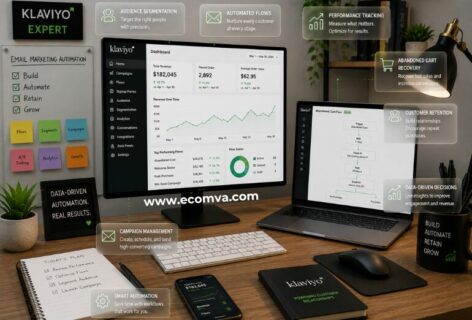
Klaviyo’s latest abandoned cart benchmarks show email flows averaging about $6.77 in revenue per recipient and SMS about $4.48. The top 10% of brands pull around $13.70 on email. That’s vendor data, so your mileage will vary. Still, it’s usually the best return per message you’ll find.
For SMS, get proper opt in consent first. No exceptions.
6. Recover Browse Abandonment
Not everyone adds to cart. Plenty of people look at three products and vanish.
A browse abandonment flow emails or texts them about the exact item they viewed. It’s softer than a cart reminder, so skip the discount here. Try something like “Still thinking about this?” with a review or two and a link back.
You need them subscribed already, which is why a good email capture on your site matters. Volume is higher than cart abandonment, but each message earns less. Worth setting up second.
7. Add Exit Intent Offers and On Site Retargeting
Exit-intent popups are a good idea. Or the most annoying thing on your site.
Here’s the key ask for the smallest thing. An offer for an email address or a “Want us to save your cart? ” button performs much better than a giant 20% off warning that’s screaming desperation. Only use one popup per visit, make the close button obvious, and always try them on mobile, where exit intent behaves differently and Google hates full-screen popups.
And don’t discount by default. If you train people to wait for the coupon, you’ve just trained them to wait.
8. Use Retargeting Ads for Warm, Not Cold, Traffic
Retargeting means showing ads to people who already visited your store. They know you. They’re warmer than any stranger on Instagram.
Set it up on Meta and Google, and use dynamic product ads so people see the exact items they browsed. Exclude anyone who bought recently, because nothing feels worse than being chased by an ad for something you already own. Cap the frequency, too.
One honest note: tracking limits on iPhones mean your audiences are smaller and fuzzier than they used to be. Keep retargeting budgets modest compared to your main acquisition spend, and watch the numbers.
Category 3: Increase What Each Customer Spends
Let’s do some quick math, with made up numbers. Say you get 1,000 orders a month at a $50 average order value. That’s $50,000. Nudge AOV up to $58 and you’re at $58,000, with the same traffic and the same ad spend.
That’s what this category is for.
9. Add Strategic Upsells and Cross-Sells
Upsell is to give them an upgraded version of what they’re purchasing. Cross-sell is to give them something complementary with what they’re purchasing. Both of them are successful when they are relevant and fail when they are irrelevant.
Easy wins are the cart drawer, cart page and a one click offer immediately after checkout. Limit it to one or two offers. Rebuy and even Shopify’s own product recommendations can do this out of the box.
Basic principle: never upsell an add-on for more than the price of the item in the cart. An upsell to someone buying a $30 phone case should never be $90.
10. Bundle Products for a Higher Average Order Value
Bundles take the thinking out of shopping. A skincare brand can sell a cleanser, a moisturizer, and SPF as a “morning routine” set. A coffee shop can pair beans with a filter pack. The customer feels like they got a curated deal, and you ship one box.
Price the bundle a little under the items bought separately, but check your margins first. If the discount eats your profit, it isn’t working, even if sales go up.
Test one or two bundles on your bestsellers before building ten. A structured testing process, like the ones in CRO support services, keeps you from guessing which bundle actually wins.
11. Set a Free Shipping Threshold Above Your Average Order Value
Free shipping is a powerful nudge, but only if the threshold sits just above what people usually spend.
Find your current AOV. Many merchants start with a threshold around 15 to 30 percent higher and then adjust based on results. That’s a rule of thumb, not a law. If your AOV is $60, a $75 threshold gives shoppers a reason to add one more item.
Then show it. A thin banner reading “You’re $12 away from free shipping” in the cart does the heavy lifting. Just run the numbers on shipping costs first. Free shipping on tiny margins can quietly drain you.
12. Use Limited Time Offers and Urgency Carefully
Urgency works because it’s real. A flash sale that ends Sunday at midnight? Fine. A countdown timer that resets every time you refresh the page? Shoppers notice, and your trust takes the hit.
Use real deadlines. Real stock limits. Real seasonal windows like Black Friday or back to school. Skip the fake scarcity.
And don’t run offers constantly. If everything’s always on sale, nothing feels like a deal. Pick two or three moments a year and make them count.
Category 4: Turn Customers Into Repeat Buyers
Getting a new customer costs more than keeping an old one. You’ve heard it a hundred times. It’s still true.
The second purchase is where profit starts to show up, because you’ve already paid to acquire that person.
13. Build a Post-Purchase Email and SMS Retention Flow
Most stores send an order confirmation and go quiet. That’s a wasted moment, since people are most interested in your brand right after they buy.
A decent post purchase flow might include:
- A shipping update
- A “here’s how to get the most from it” message a few days after delivery
- A review request once they’ve had time to use the product
- A cross-sell or replenishment reminder timed to when they’ll run out
That’s it. Nothing fancy. Time the reorder message to the product itself. A 30-day supplement bottle needs a nudge around day 25, not day 7.
14. Launch a Loyalty or Rewards Program
Loyalty programs can lift repeat orders. They can also become a pile of admin that nobody uses.
If you’ve got a decent base of repeat buyers, tools like Smile.io, LoyaltyLion, or Yotpo make it easy to launch points, tiers, or simple perks like early access. Keep the rules dead simple. If a shopper needs a calculator to understand it, it’s too complicated.
But here’s the scale note. If you’re a small store with few repeat customers, skip this for now. Fix retention flows first. A loyalty program works best when there’s already something to build on.
15. Offer Subscriptions or Replenishment Options Where Relevant
Subscriptions are awesome for things that people run out of. Coffee, dog and cat food, vitamins, razors, skincare.
They’re not good for impulsive buys. No one really wants a lamp subscription.
Tools like Shopify Subscriptions or Recharge handle the billing.. Provide a small discount for signing up. Make it simple for someone to pause or skip their subscription. Make the subscription simple to do. It is counterintuitive, but making it easy to unsubscribe will build customer trust and ultimately get people to sign up.
16. Personalize Product Recommendations for Returning Visitors
When someone returns to your store, don’t treat them like a stranger.
Start simple. Show “recently viewed” items, bestsellers in the category they browsed last, or “pick up where you left off” on the homepage. In email, send product picks based on past orders rather than a blast to everyone.
You don’t need an expensive AI engine on day one. Most Shopify themes and email platforms like Klaviyo have basic recommendation blocks built in. Turn those on, see what happens, and upgrade later if the numbers justify it.
Category 5: Bring in New, Higher Intent Traffic
New traffic is still the lifeblood of any store. But there’s a difference between more visitors and better visitors. This category is about better.
17. Invest in Ecommerce SEO for Compounding, Lower Cost Traffic
Paid traffic stops the second you stop paying. SEO doesn’t. A category page that ranks keeps sending buyers month after month.
Focus on what shoppers actually type. Category pages with real descriptive copy, product pages with unique titles, and helpful buying guides that answer “which one should I get?” questions. Don’t copy manufacturer descriptions. Everyone else does, and Google knows.
Be realistic about timing. Expect 3 to 6 months before you see real movement. It’s slow, but it compounds. If you’d rather hand this off, ecommerce SEO services can build the plan while you keep running the store.
18. Optimize for AI Search and Shopping Overviews
This one’s new, and it matters. People are using AI tools to research products and compare options, and some of those answers include direct product recommendations.
How big is it? Depends who you ask. Adobe Analytics reported that AI driven traffic to U.S. retail sites grew 393% year over year in Q1 2026. Meanwhile, an academic study of ChatGPT referrals found they made up under 0.2% of ecommerce traffic during the period it studied. Both can be true. It’s growing fast, but from a small base.
So what can you do now? Keep your product data clean in Google Merchant Center. Add product, offer, and review schema. Write plain, specific specs and FAQs on your product pages. Make shipping and return policies easy to find. AI tools lean on clear, consistent information, so give them some.
19. Use Influencer Partnerships and User-Generated Content
Real customers beat polished ads. A photo from a happy buyer on your product page often does more than a studio shot.
For influencers, start small. Micro creators with a few thousand engaged followers usually cost less and feel more genuine than big names. Send product, agree on usage rights, and give each creator a trackable link or code so you can see what actually sold.
Fair warning. If you’re a tiny store with no budget for product seeding, don’t force this. Start by asking your existing customers for photos and reviews, then build from there. Our case studies show how brands with different budgets have approached it.
20. Sell Directly on Social Commerce Channels
Instagram Shopping and TikTok Shop let people buy without leaving the app. For the right product, that’s a big shortcut.
It suits visual, impulse-friendly items like beauty, fashion, home goods, and gadgets. It’s a tougher sell for high-consideration purchases like furniture or software.
Before you jump in, check the current fees and fulfillment rules, because they change. And remember that social commerce takes consistent content. One post a month won’t cut it. Treat it as a long-term channel, not a quick win.
Increase Ecommerce Sales Faster: Which Strategies to Prioritize First
Okay, 20 ideas is a lot. Here’s the order I’d tackle them in. The timelines are rough estimates, since your results depend on your traffic, your category, and where you’re starting from.
| Strategy Category |
Strategies |
Typical Time to Impact |
Effort to Implement |
Priority |
| Checkout and trust fixes |
2, 3 |
1 to 2 weeks |
Low to Medium |
Do first |
| Cart and browse abandonment flows |
5, 6 |
1 to 2 weeks |
Low to Medium |
Do first |
| Product page optimization |
1, 4 |
2 to 4 weeks |
Medium |
Do first |
| On-site personalization and upsell/cross-sell |
9, 10, 11, 16 |
2 to 4 weeks |
Medium |
Do next |
| Loyalty programs and subscriptions |
14, 15 |
1 to 2 months |
Medium to High |
Do next |
| Paid retargeting and exit offers |
7, 8, 12 |
Days to weeks, then ongoing testing |
Medium (budget dependent) |
Do next, alongside conversion fixes |
| SEO and AI search visibility |
17, 18 |
3 to 6+ months |
Medium to High (ongoing) |
Long term, start now |
| Influencer, UGC, and social commerce |
19, 20 |
1 to 3 months |
Medium to High |
Long term |
A simple way to use this: pick two things from “Do first,” finish them, then move on. If you’ve got a very small store, you can probably ignore loyalty programs and influencer deals for now. That’s not laziness. That’s good prioritizing.
Ready to Increase Your Ecommerce Sales?
Optimize your store, boost conversions, and grow sales with EcomVA’s expert ecommerce support.
Contact Us
Final Thoughts: Compounding Wins Beat Big Bets
To increase ecommerce sales in 2026, you don’t need a secret tactic. You need small, steady improvements across the whole funnel. A smoother checkout here, a better email flow there, a stronger repeat purchase plan after that.
So start with the quick wins. Fix your site and checkout, then add recovery flows and a few AOV boosters. Once those are humming, layer in retention. And treat SEO, AI search, and social commerce as the slow burn that pays off later.
Pick two strategies this week. Just two. Then come back for the next ones.